Incident Management
10 Real World Examples of Great Status Pages
A status page is how you show the current state of a website, API, or other internet service, and how you post incidents and maintenance windows.
The pages below are ones we think are worth copying from. Nine are other companies' public pages. The screenshots of those nine are from 2022. Each status URL was still responding on October 9, 2026. The tenth is a Cronitor page, with a current screenshot. The steps to build that kind of page are in the status pages guide.
Flare
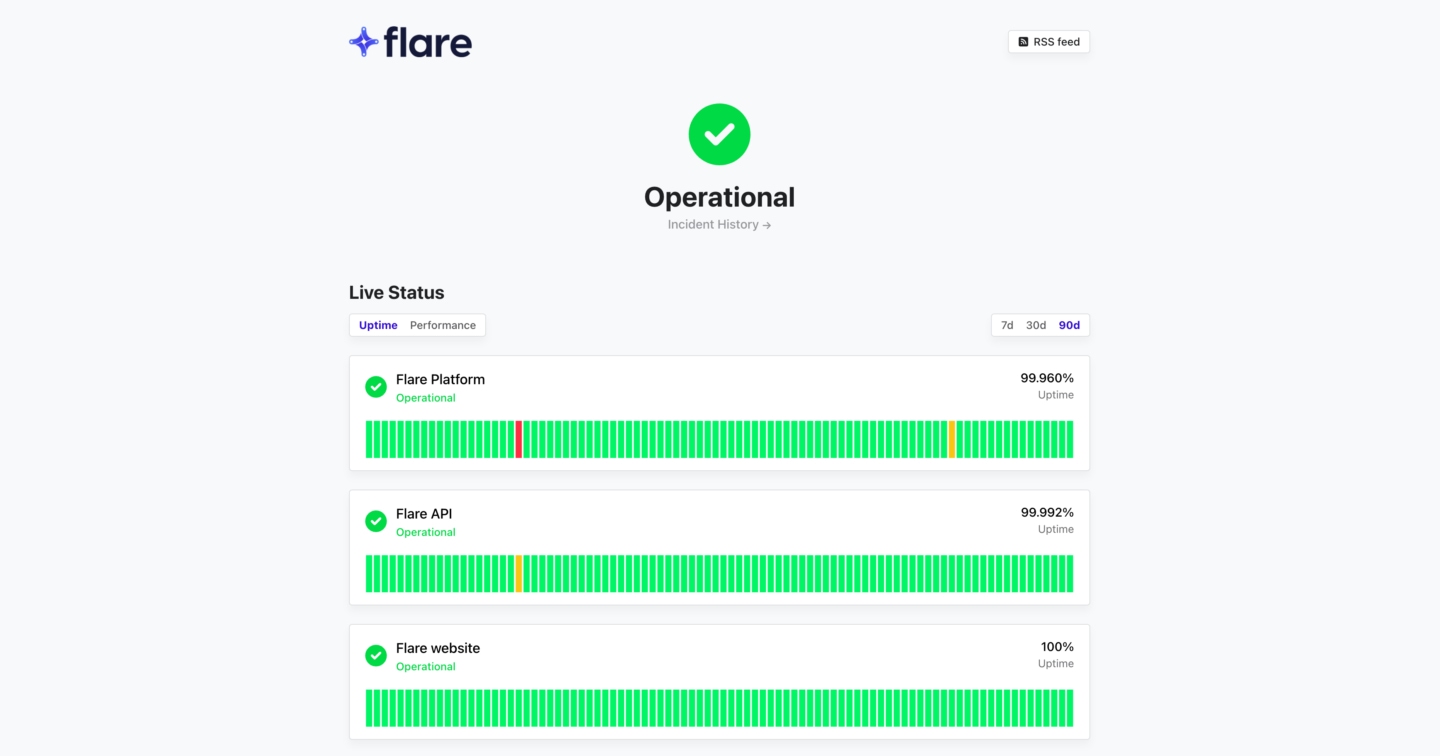 Status page: status.flare.io
What they do: Flare is a digital footprint monitoring solution. It monitors your systems for security threats, technical leaks, and provides visibility to external attack surfaces.
What makes it a great status page: Ease of use. The page shows current health, historical uptime and performance, and past incidents, so a customer can see what an outage affects and how earlier ones were handled.
Discord
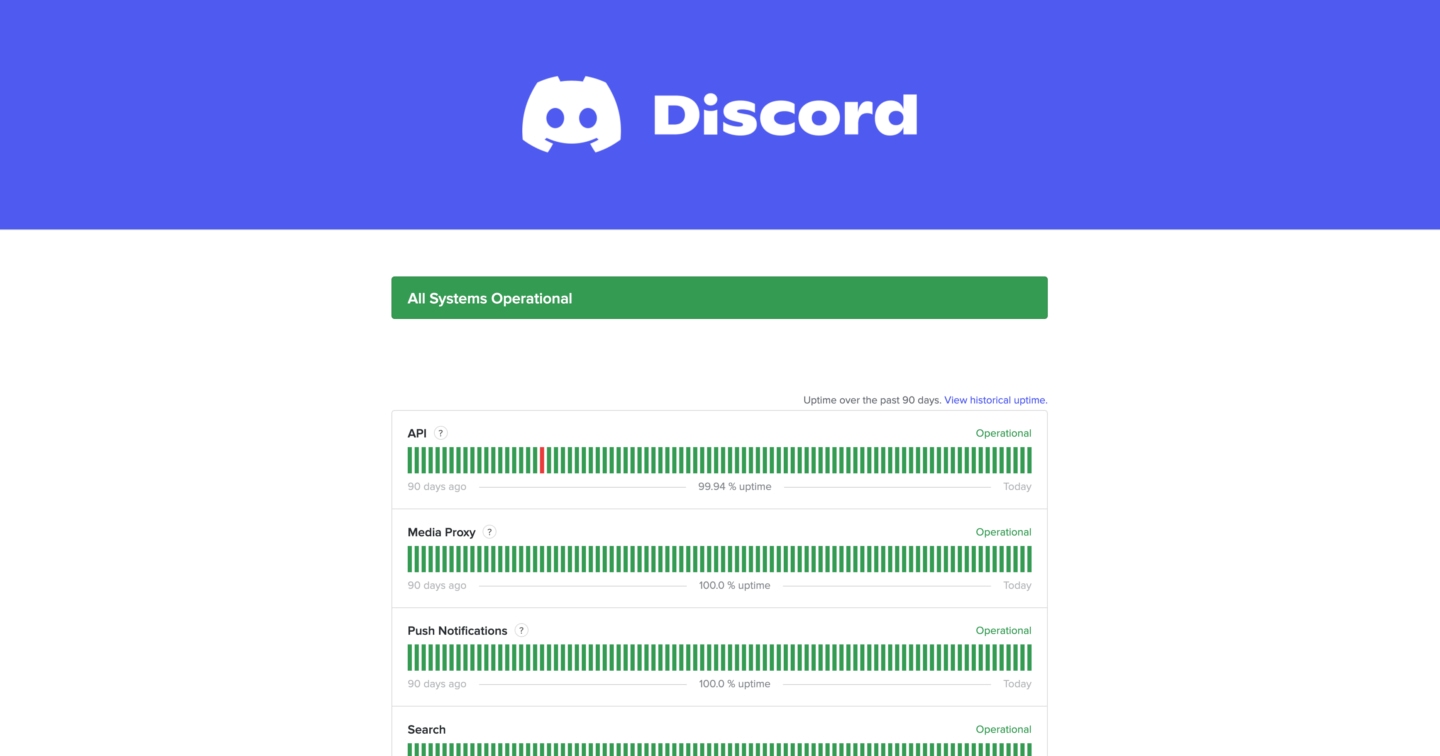 Status page: discordstatus.com
What they do: Discord is a chat, voice, and video platform. Downtime is obvious to the people in a call.
What makes it a great status page: Branding. The custom domain discordstatus.com is easy to find, and the logo and colors make it clear the page is theirs.
Cloudflare
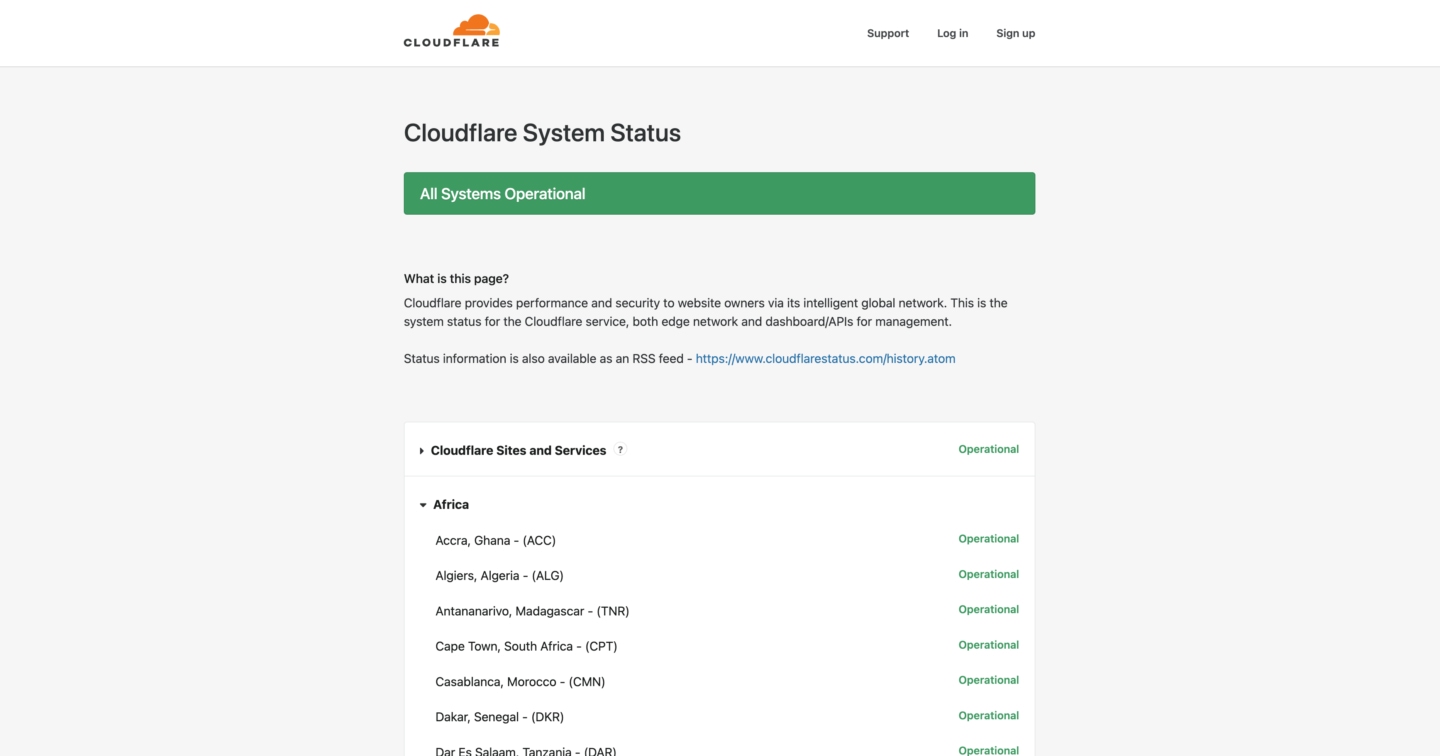 Status page: cloudflarestatus.com
What they do: Cloudflare is used by millions of websites around the world for its content delivery network and DDoS protection service.
What makes it a great status page: Their status page shows the current status for hundreds of server locations from around the world. As such, it can easily become complex and difficult to navigate. However, they group statuses by region and make it easy to collapse these groups so users can quickly find the relevant services.
Postmark
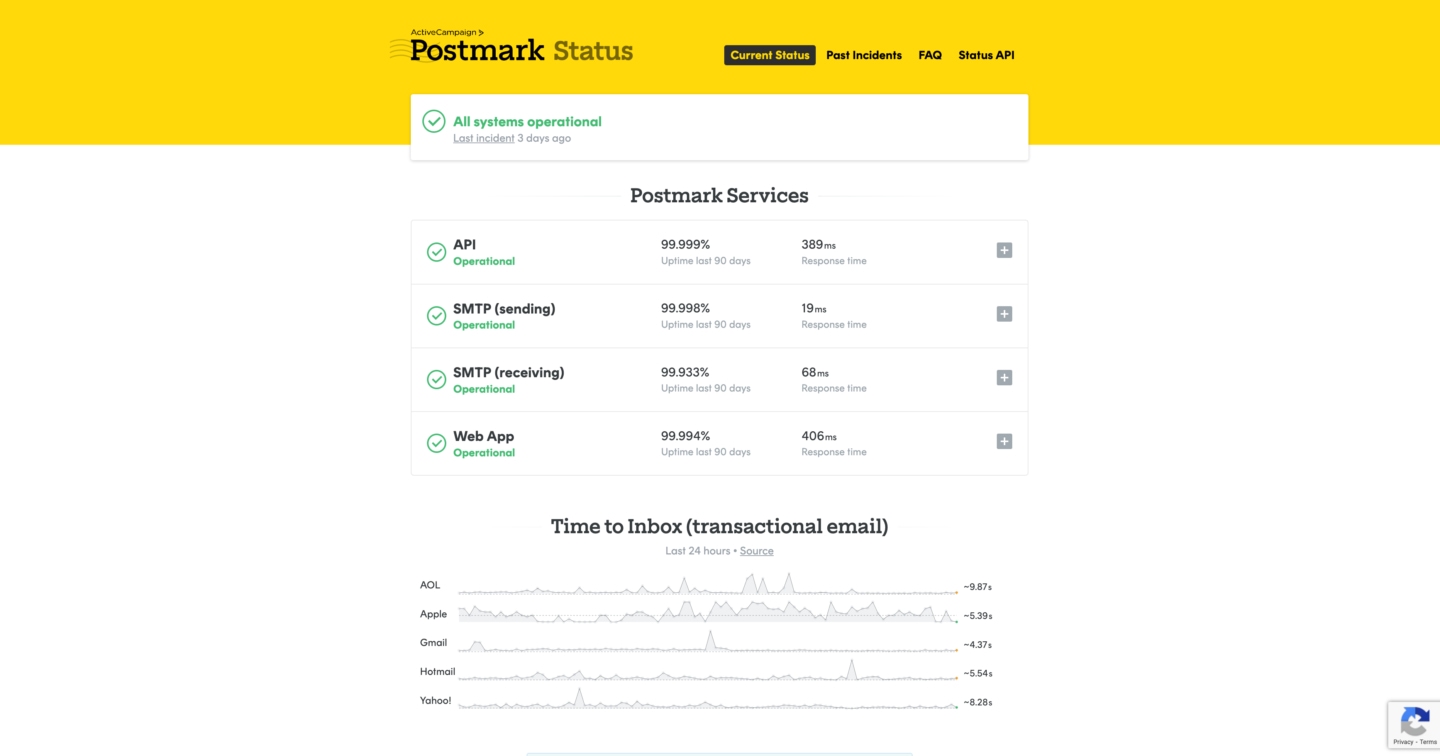 Status page: status.postmarkapp.com
What they do: Postmark is a transactional and marketing email SaaS. It makes it easy to send and receive emails via their API, and it's well known for its delivery success rates.
What makes it a great status page: From custom branding to ease of use, Postmark's status page gets many things right. Something to highlight about this example is that they include links to their FAQs and quick help. This makes it easy for users to find relevant information when they need it most.
GitHub
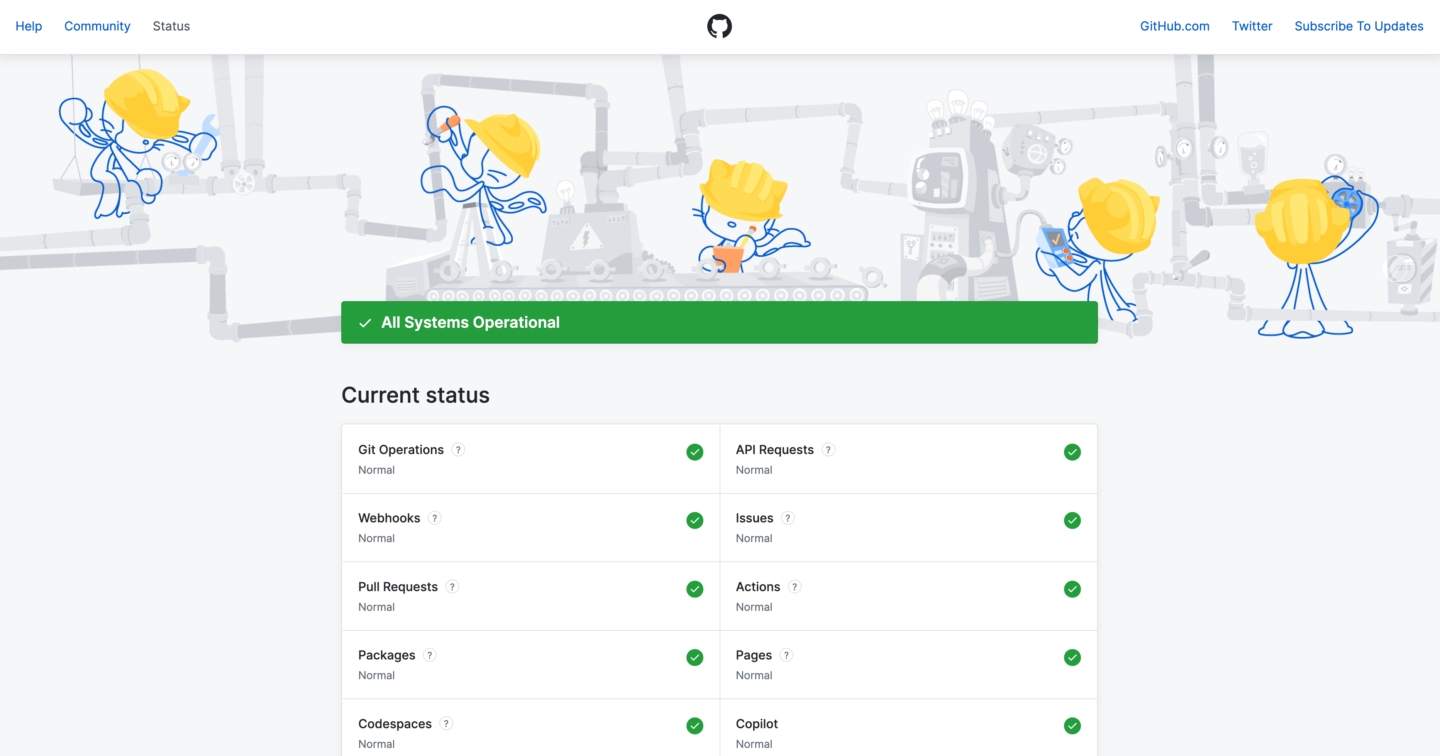 Status page: githubstatus.com
What they do: GitHub is a hugely popular version control platform for Git repositories. Millions of developers around the world rely on their service to store, build and deploy their software.
What makes it a great status page: The page is short. Status, history, and support links are on one screen. Hovering a service name shows a short description of that service, which is a pattern worth copying. See the component description step in the status pages guide.
Amazon Web Services
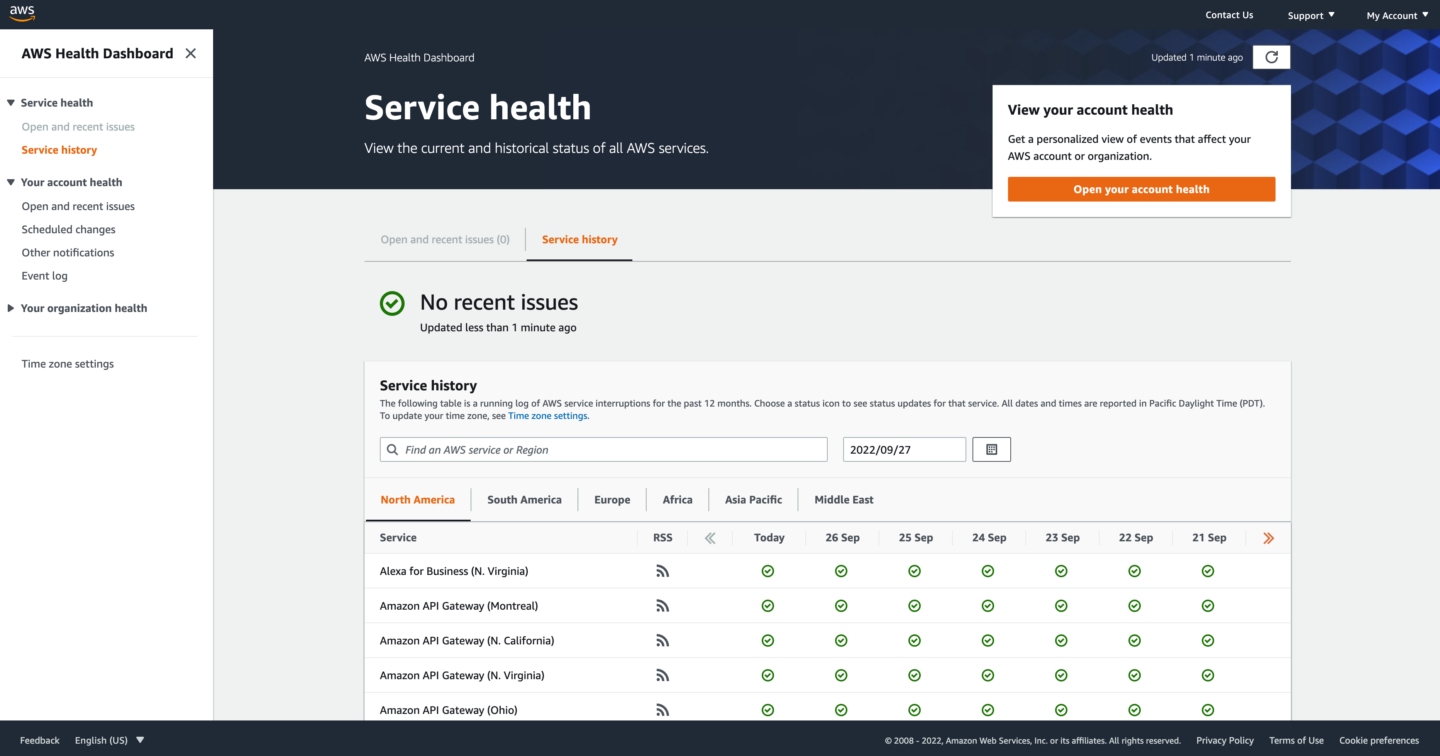 Status page: health.aws.amazon.com
What they do: AWS is a major cloud provider which arguably handles a huge proportion of internet traffic. Their services are mission-critical to thousands of companies around the world, and as such transparency around incidents and SLAs is vital for any business relying on them.
What makes it a great status page: The page has a lot of services and locations on it. They are grouped by region, and the page has search, so you can get to one service without reading the whole list.
Twilio
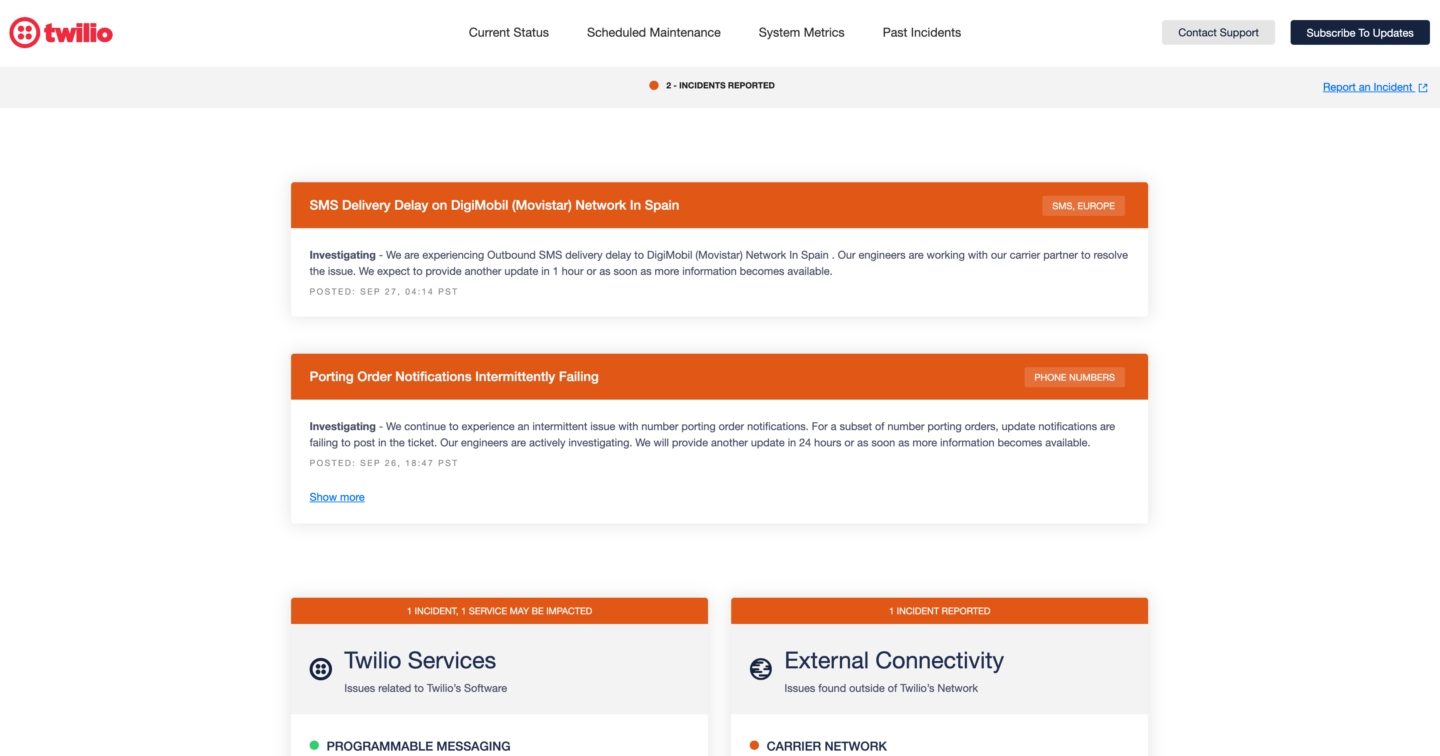 Status page: status.twilio.com
What they do: Twilio is an API for sending and receiving calls and text messages. It's very popular among developers for their easy to use API and vast documentation.
What makes it a great status page: As the bridge between internet-based apps and countless network carriers around the world, there's plenty of moving pieces and ways in which the service performance can be temporarily degraded. Twilio presents their status page with a focus on active incidents by highlighting them at the very top of their page. This is valuable to developers looking to troubleshoot any issues in their integration, as they can quickly gauge if the outage is impacting their own apps and services.
Shopify
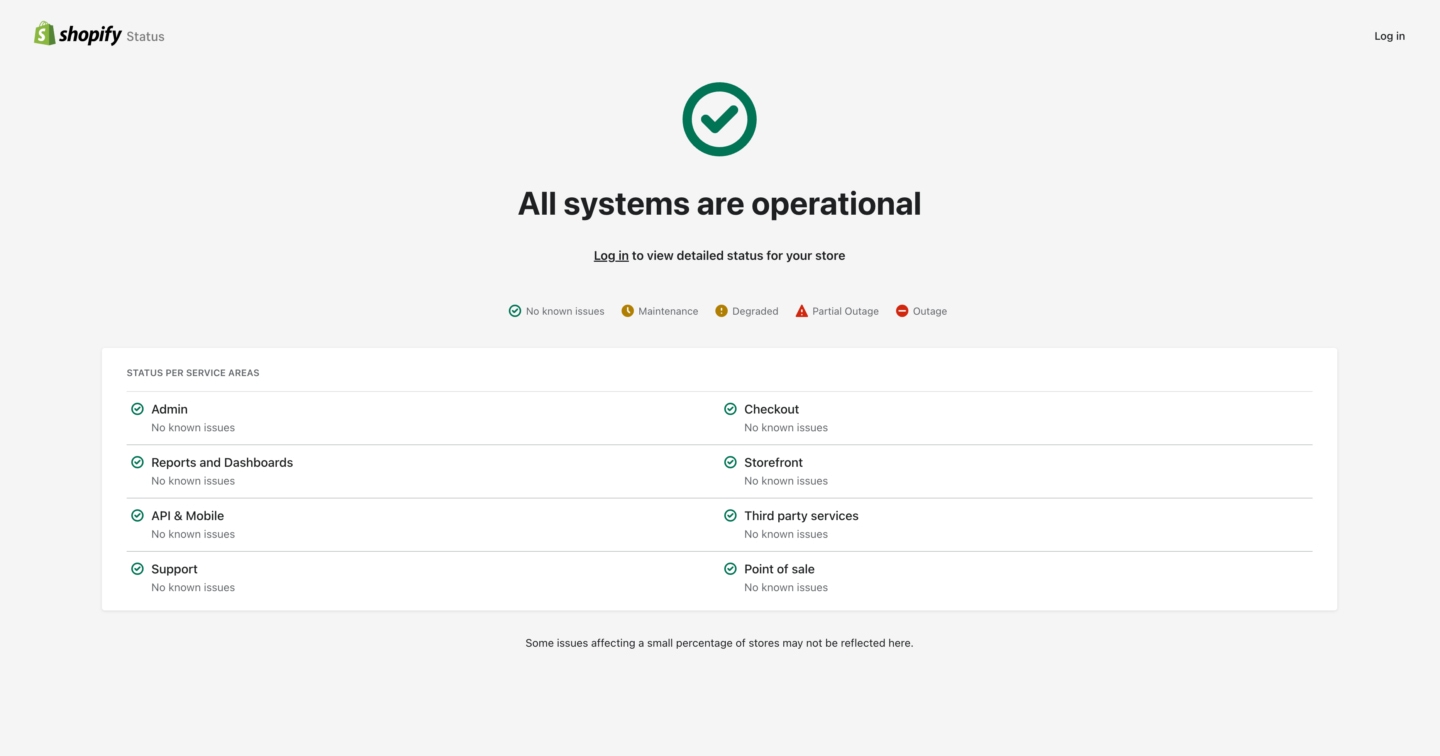 Status page: shopifystatus.com
What they do: Shopify is an e-commerce platform used by millions of businesses around the world. You can create an online shop, upload your product catalog, manage orders and sales from one central place.
What makes it a great status page: As many businesses rely on Shopify as the center-piece for their operations, their uptime and performance is critical to them. Their status page is another great example of keeping it simple while providing all the relevant information in one place. If you're a customer, they also make it easy to subscribe for notifications whenever there's an outage or planned maintenance window.
DigitalOcean
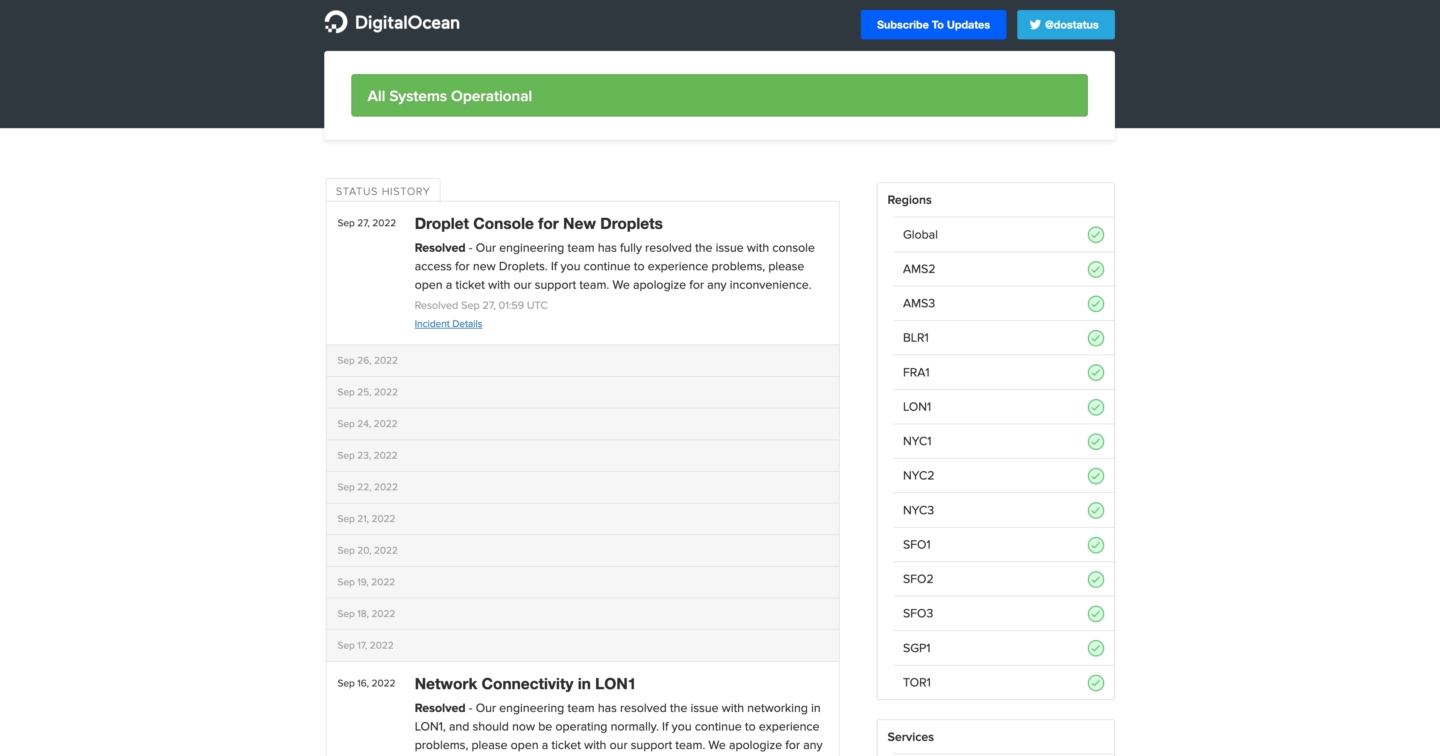 Status page: status.digitalocean.com
What they do: DigitalOcean is a cloud infrastructure platform, aimed at people who want a simpler control panel and straightforward pricing.
What makes it a great status page: As other cloud platforms, the number of services and locations they operate in makes for a lot of information to pack in one page. However, they present a summary of their services in a sidebar format, which makes it really easy to gauge the overall status of their platform.
Cronitor
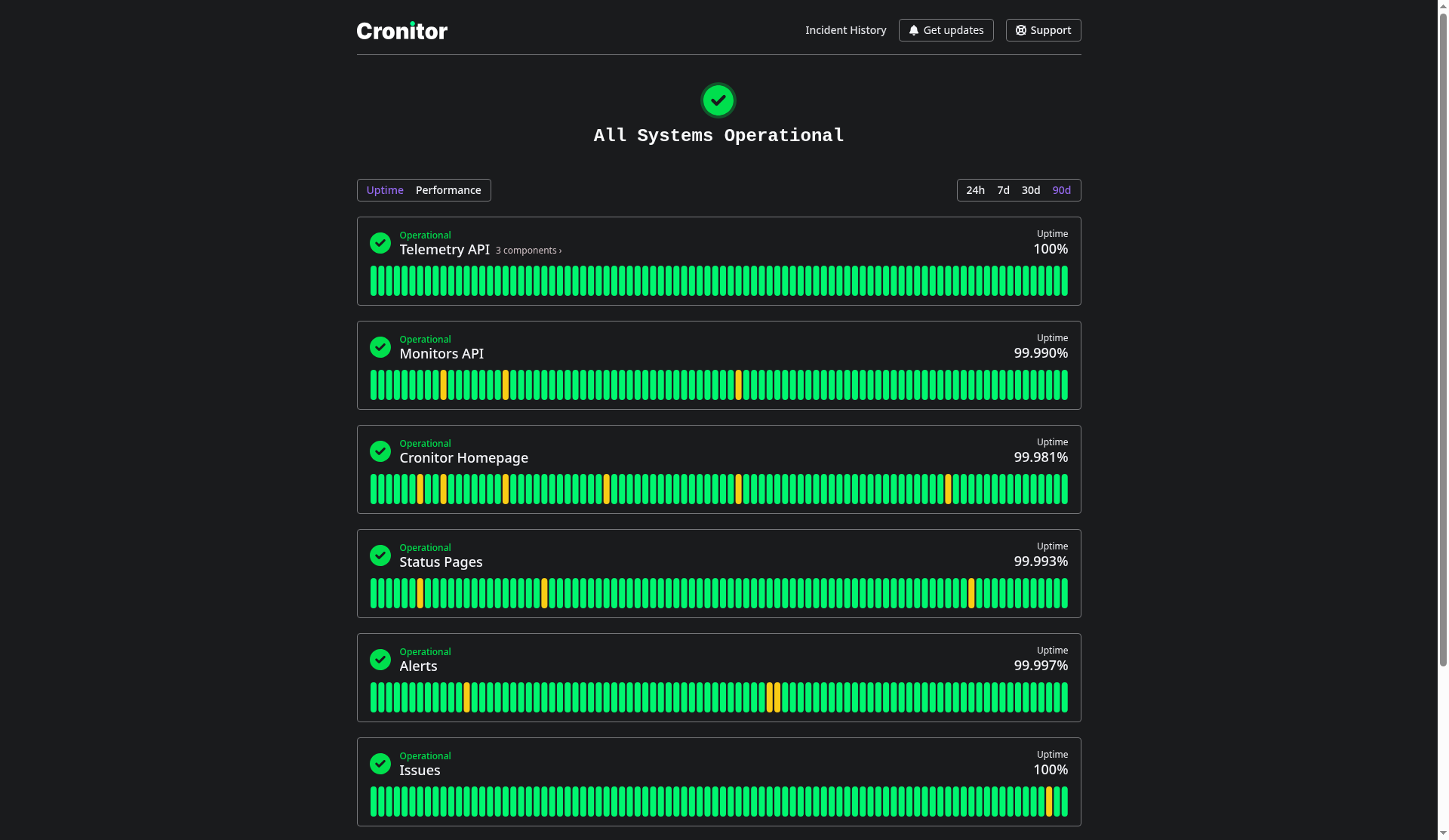 Status page: status.cronitor.io
What it is: Cronitor's own public status page. It is the same product described in the status pages guide, included here so the layout sits next to the other examples.
What is worth copying: One screen shows current status, an uptime or performance chart per component, and the range (24h, 7d, 30d, 90d). Incident History is a separate page. Get updates covers email, RSS, Slack, and webhook. Support is a link you set. Components can carry a short description, the same idea as GitHub's hover text.
Conclusion
The pages above keep the current status obvious, make history easy to find, and put a support link where a worried customer will see it. The status pages guide is the Cronitor setup for that layout.